

Content
Objective
How to navigate the Support dashboard.
Environment
Dashboard
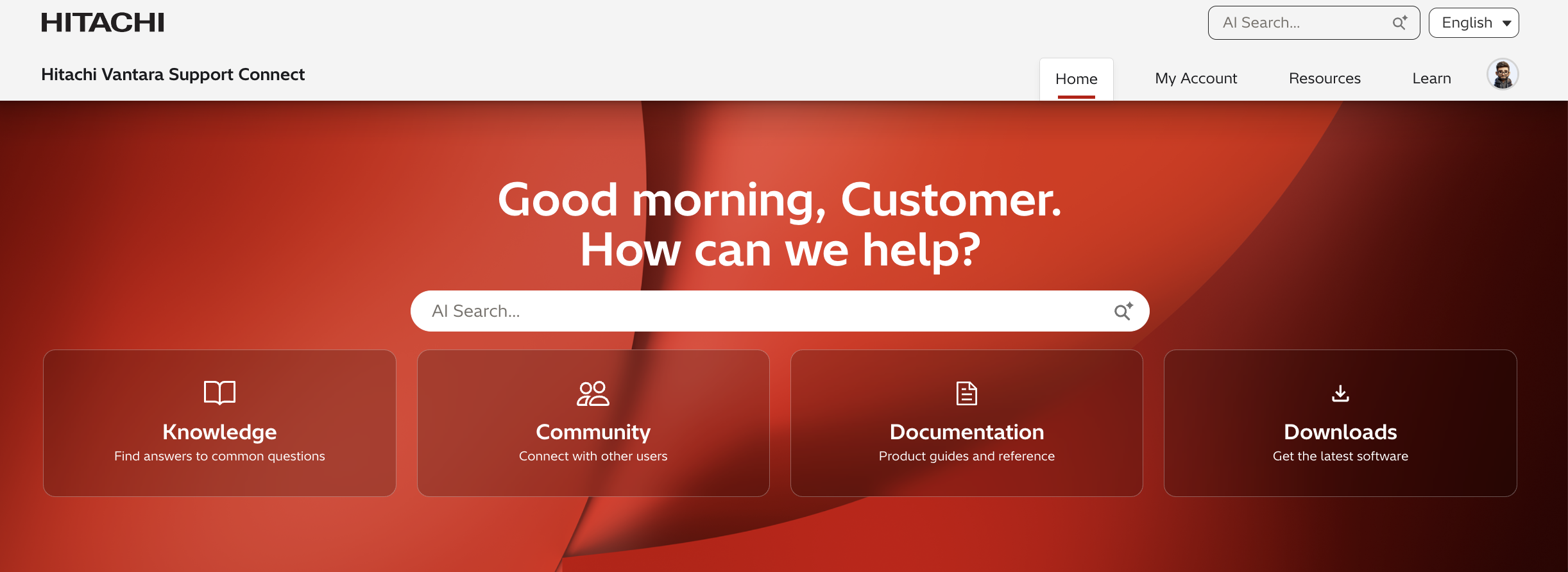
Login to Support to access all the features Support has to offer including Product Downloads, Cases and Technical Bulletins.
- The dashboard displays commonly used resources.
- The center pane is your personalized dashboard that delivers information relevant to your products and solutions, like Technical Bulletins, Hitachi Remote Ops Monitoring system status and Cases.
- The search bar at the middle and top right of the page provides quick access to resources.
Account Management
Manage your user profile, site users and subscriptions by clicking on your user name to the left of the search bar, shown below. From there you can access:
- My Profile: Edit your profile information, password and primary site.
- Manage Subscriptions: Manage your Technical Bulletin subscriptions (online and/or email delivery for the products you choose to receive bulletins for).

Header Drop-Down Menu
Use the header drop down menu to access:

My Account
- Cases: Create and manage Cases for your Hitachi products and solutions. Quickly create and track the status of a Case and upload files to the TUF system, with the option to include Cases from Remote Ops (Hi-Track) Remote Monitoring system.
- My Products: Shows you quick reference, details and support information on your products with the ability to add new products and search for products by alias or serial number. Support allows you to customize the alias of each product shown in My Products in order to reference products using your internal company nomenclature.
- My Sites: Shows you the physical location of your sites and Hitachi products at those sites.
- Portal Support: Create cases regarding any portal issues you might be having
Resources
- Knowledge: Find answers to help you solve your issue.
- Technical Bulletins: Review archived bulletins and subscribe to new bulletins for online or email delivery for Hitachi products and solutions. Stay informed about preventative maintenance, alerts, and emergency notifications. To learn more about subscribing to tech bulletins click here.
- Product Downloads: For the latest software, drivers and firmware downloads for your Hitachi products.
- Product Documentation: View best practices, installation notes, maintenance/service guides, release notes and user guides.
- Security Advisories
- VSP 360 Clearsight
- Product Life-Cycle Matrix
- Product Compatibility
Learn
- FAQ: Find any frequently answered questions that people
- Community: Explore Hitachi Vantara online community and join conversations with users and Hitachi personnel about Hitachi products and solutions.
- Learning/Training: Explore Hitachi Vantara training where you can find popular courses, trainings, and resources.
- Certifications: Provides knowledge and skills validation through a variety of exams in the areas of storage solutions architecture, implementation, and administration.
Additional Notes
For more information about Support, please see the following articles:
CXOne Metadata
dashboard,home page,Support website