How to Register for the Support Website
Content
Steps for Registration
Before going through the registration steps, make sure to have:
- Customer Company Name
- Your Customer Company Email Address
- Product Name (any product purchased from Hitachi)
- Serial Number (for a product that matches the above name)
- Go to https://support.hitachivantara.com
- Click Register in the upper right corner

- Follow the prompts to enter your information, make sure to agree to the terms at the bottom by checking the box. Click Complete Registration.
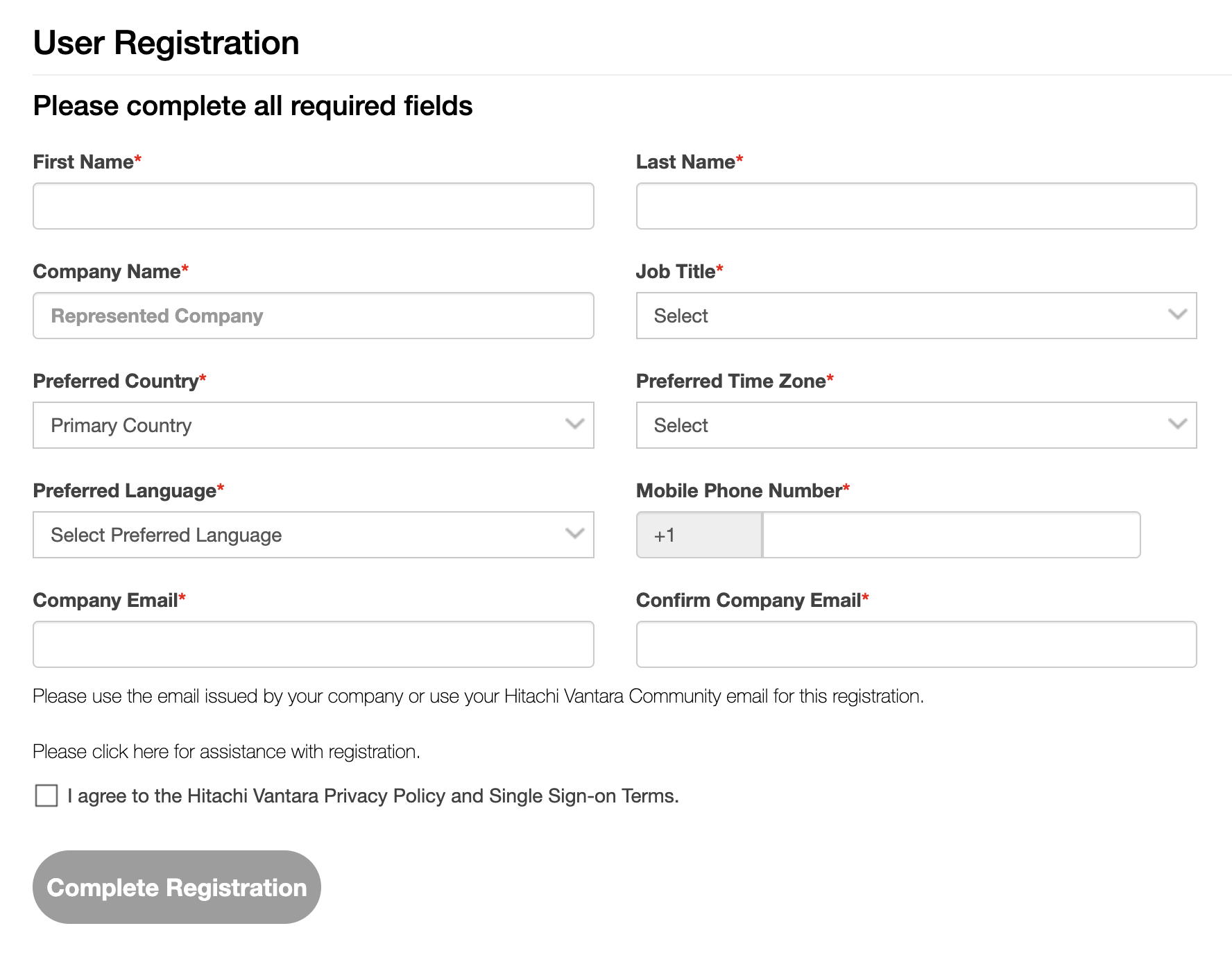
- Check your email and click the activation link.

- Enter a New Password and enter your new password again under Confirm Password. Click Submit.
- You will be redirected to the login page.
- Enter your Username and Password. Click Sign In to access your Support site account.

Verify a Product
- A popup to verify a product will appear upon initial login, enter the Product Serial Number and select the Product Name. Click SAVE

- You will now have complete Customer access where you can manage Cases, view site/product information, and subscribe to receive Technical Bulletins.
Partner Company Selection
Additional Notes
For more information about Support, please see the following articles:
Attachments
Attachment: 7374_20240807163252_240417200102403.pdf
CXOne Metadata
article:howto,pagetype:knowledgearticle,support,register,Registration,Support website
Solution Properties
- Keywords
- Registration customer raexternalrequest
- Solution ID
- 242403050043308
- Last Modified Date
- 06/09/2026 03:20:43 PM
- Attributes
-
Page Privacy and Permission Assignment
- Page Privacy: Private
- Page Level Permissions: Anonymous; Employee; Service Partner; Customer; IT; eServices
- Article: howto
- Pagetype: knowledgearticle
- Taxonomy
- Collections
-
- Guest (Public)
- Views
- 0